10
10 Jul 11, 2026
Quick Answer: Which E-commerce Platform Has the Best Features? |
|---|
No platform wins outright. Shopify leads on simplicity, launch speed, and dependable uptime. WooCommerce leads in content flexibility, customization, and keeping full ownership of your data. BigCommerce leads on enterprise-grade features baked in without transaction fees. A custom build leads to unlimited flexibility, at the cost of the biggest investment. The right choice depends on your business needs, technical resources, and stage of growth. This guide breaks all four options down across 30 feature areas so you can decide with full information in hand. |
No platform wins outright. Shopify leads on simplicity, launch speed, and dependable uptime. WooCommerce leads in content flexibility, customization, and keeping full ownership of your data. BigCommerce leads on enterprise-grade features baked in without transaction fees. A custom build leads to unlimited flexibility, at the cost of the biggest investment. The right choice depends on your business needs, technical resources, and stage of growth. This guide breaks all four options down across 30 feature areas so you can decide with full information in hand.
Choosing the platform behind your e-commerce app is one of the biggest technical calls you'll make. It determines what you can offer shoppers, how much room you have to build custom functionality, what your costs look like as you grow, and how painful (or painless) switching platforms later would be.
Most comparisons of e-commerce platforms come from one of two biased angles: affiliates with a financial stake in pushing a particular tool, or developers judging purely on technical merit without weighing the real-world business tradeoffs. This guide tries to avoid both traps.
We evaluated Shopify, WooCommerce, BigCommerce, and custom-built ecommerce applications across 30 feature categories, including catalog tools, checkout, SEO strength, international selling, developer experience, and total cost of ownership, among others. The aim is to save you from digging through four competing marketing sites and untangling conflicting claims.
This piece is Cluster 4 in our broader ecommerce app features series. If you haven't nailed down which features your app actually needs yet, start with the must-have features checklist in Cluster 2. It'll help you build a requirements list before you use this comparison to pick a platform.
4M+ stores run on Shopify worldwide | 28% of all websites run WooCommerce | $0 transaction fees on BigCommerce | 3x more feature depth in custom builds |
Sources: Statista Ecommerce Platform Report 2025, W3Techs Usage Statistics, BigCommerce Platform Overview, Shopify Annual Report 2024
1. Platform Overview: What Each Platform Is and Who It's Built For
Before comparing features head-to-head, it's worth understanding the core philosophy each platform was designed around. Each one was built for a different kind of user, and that founding intent still drives their feature decisions today.
Shopify: The Commerce-First Cloud Platform
Shopify started in 2006 after its founders struggled to find a decent way to sell snowboarding gear online, so they built their own. Today, it operates over four million stores worldwide and is utilized by everything from independent entrepreneurs to well-known companies like Heinz, Gymshark, and Allbirds.
Shopify's guiding idea is that merchants should focus on selling, not on babysitting infrastructure. That shows up everywhere: hosting is handled for you, security patches roll out automatically, payments work with minimal setup, and a curated app marketplace covers most needs without custom code. The tradeoff is that you're working inside Shopify's own architecture, and the moment you need something outside it, you'll notice the constraints.
WooCommerce: The Open-Source WordPress Extension
WooCommerce is a free, open-source plugin that adds e-commerce to WordPress. Since WordPress runs roughly 43 percent of the entire web, WooCommerce has become the most widely installed e-commerce tool by sheer number of installs, even though Shopify handles far more total sales revenue.
The base plugin costs nothing, but running a real production store on WooCommerce means paying for hosting, premium plugins for most advanced functionality, a quality theme, and ongoing developer time for customization. The true cost of a properly built WooCommerce store often surprises people who assumed "free" meant free.
WooCommerce's real edge is how tightly it integrates with WordPress, making it the strongest option for content-heavy ecommerce brands where blogging, editorial content, or community features matter as much as the storefront.
BigCommerce: The Feature-Rich Enterprise Alternative
BigCommerce markets itself to serious ecommerce operators who've outgrown Shopify but don't want to take on the overhead of building custom. It packs in a noticeably deeper built-in feature set than Shopify, skips transaction fees entirely on every plan, and supports enterprise B2B selling natively.
BigCommerce's market share and app marketplace are smaller than Shopify's, meaning fewer third-party integrations and a smaller community when you hit a snag. But it tends to make up for a shallower ecosystem with a deeper native toolkit.
Custom Build: Total Freedom, Total Responsibility
A custom e-commerce build means every piece of frontend, backend API, database, and integrations is built specifically for your business. There's no vendor, no transaction fee, no app store dependency, and no constraints you didn't choose yourself.
That freedom comes at a real cost. Custom builds are more expensive to create, maintain, secure, and evolve than any platform option. They make sense for businesses with genuinely unusual requirements, very high sales volume where platform fees start to bite, or technical teams who want complete ownership of their stack.
Planning an E-commerce App Build? |
|---|
Before you invest in your e-commerce app, get professional advice on features, development strategy, costs, schedules, and technical requirements. |
2. Head-to-Head: Platform Deep Dives With Pros and Cons
Here's a candid look at what each platform genuinely gets right and where it tends to frustrate the businesses running on it. These notes are drawn from merchant feedback, developer reports, and platform capability audits rather than marketing copy.
Shopify The fastest path from idea to live store. Built for merchants who want to sell, not manage infrastructure. |
What it does well | Where it falls short |
|---|---|
1. Setup is unmatched for speed; a full store can go live in days 2. Reliability and uptime are excellent; infrastructure is completely handled for you 3. Shopify Payments removes gateway setup friction in supported markets 4. 8,000+ apps in the store cover nearly any use case without custom dev 5. Shopify Plus unlocks enterprise tools, custom checkouts, and dedicated support 6. The native iOS/Android admin app is genuinely well built 7. Hydrogen enables headless commerce with frontend freedom while keeping the Shopify backend | 1. Transaction fees of 0.5–2% apply to all sales unless you use Shopify Payments. 2. Fixed URL structure creates SEO workarounds for some setups 3. Checkout customization is locked down without Shopify Plus 4. In contrast to WordPress, blogging and content tools are simple. 5. App costs stack up fast; a fully-loaded store can run $500–$1,500/month in apps alone 6. Exporting data and migrating away is doable, but takes effort and risks data loss 7. Liquid templating has a learning curve and hits limits on complex UI needs |
Best for: Businesses that want to launch quickly, prefer managed infrastructure, and have fairly standard e-commerce needs, also a strong fit for brands planning to grow into Shopify Plus.
WooCommerce The content-commerce platform. When SEO and editorial content are a competitive advantage, it's difficult to defeat. |
What it does well | Where it falls short |
|---|---|
1. Full data ownership of your database, your server, zero platform lock-in 2. Native WordPress integration gives you the best CMS available, not a bolt-on 3. Unmatched SEO flexibility includes complete URL control, custom schema, and any plugin you require. 4. Zero transaction fees regardless of sales volume 5. Almost any need is met by a vast ecosystem of more than 59,000 WordPress plugins. 6. Cheaper at a small scale if your team can self-manage hosting 7. Complete checkout and product personalization with the appropriate development expenditure | 1. Security is entirely on you. WordPress sites are prime attack targets 2. Performance takes active management; slow WooCommerce stores are common 3. Plugin conflicts are a real risk when multiple premium plugins interact badly 4. Continuous attention is required for hosting, SSL, backups, updates, and security monitoring. 5. The free plugin is just the start; real stores need premium plugins, which range in price from $200 to $600 a month. 6. Anything beyond basic customization needs a developer 7. Scaling past roughly 50,000 monthly visitors gets expensive without serious hosting and caching |
Ideal for: Developers or technically competent founders, content-first brands with an emphasis on SEO, small businesses on a tight budget, and any store where WordPress content tools are essential to the value proposition.
BigCommerce The enterprise-capable platform that skips transaction fees. Deep native features, a smaller but growing ecosystem. |
What it does well | Where it falls short |
|---|---|
1. Zero transaction fees on every plan, including entry-level 2. Support for multiple storefronts, languages, and currencies without the need for premium apps 3. Integrated B2B tools include quote management, price lists, and customer group pricing. 4. Strong headless capability via a solid API and storefront API 5. Standard plans don't have any artificial checkout restrictions like Shopify does. 6. Better native product filtering and options than Shopify at comparable tiers 7. Built-in support for Google AMP and accelerated mobile pages | 1. A smaller app ecosystem than Shopify means more gaps need custom development. 2. A smaller developer community means fewer tutorials, freelancers, and slower troubleshooting. 3. Annual sales caps on plans can force costly upgrades during growth spurts 4. The admin interface is not as user-friendly as Shopify's for non-technical merchants. 5. Brand recognition and the merchant community are far smaller than Shopify's 6. Theme selection and quality trail Shopify's marketplace 7. Some merchants report inconsistent customer support quality |
Best for: Mid-market and enterprise brands wanting powerful native features without transaction fees, B2B/wholesale sellers, and businesses that have outgrown Shopify Basic but can't justify Shopify Plus.
Custom Build Total control, total responsibility. Built to your exact spec with zero architectural compromise. |
What it does well | Where it falls short |
|---|---|
1. No platform constraints build precisely what your business needs 2. No transaction fees, subscription costs, or per-app charges 3. Complete data ownership, portability, and risk-free migration 4. Beyond what any platform permits, performance can be adjusted 5. Direct integration with proprietary backend systems, no platform can reach 6. Full control of custom business logic, unique pricing, bundling, subscriptions, checkout flows 7. An actual competitive advantage that rivals cannot replicate by merely installing an app | 1. The highest upfront development cost is typically $80,000 to $300,000 or more. 2. Six to eighteen months is the longest time to market for a build that is ready for production 3. All infrastructure, security, and updates fall on your team 4. Every feature requires development; there's no app store shortcut 5. Heavy dependence on your team losing a lead developer is a real operational risk 6. Without disciplined engineering practices, technical debt accumulates quickly. 7. Compliance work (GDPR tooling, PCI DSS, accessibility) all has to be built from scratch |
Best for: Enterprise retailers with unusual requirements, high-volume stores where platform fees add up meaningfully, businesses needing deep ties to proprietary systems, and well-funded startups with experienced technical leadership.
3. Comparison of Master Features: 30 Dimensions on All Four Platforms
The table below scores each platform from one to five across thirty feature areas. Scores consider the quality and ease of achievement of the native capability as well as the time, money, and expertise required.
Feature Dimension | Shopify | WooCommerce | BigCommerce | Custom Build |
Ease of Setup | 5/5 | 3/5 | 4/5 | 1/5 |
Product Catalog Management | 4/5 | 5/5 | 5/5 | 5/5 |
Search and Filtering | 3/5 | 4/5 | 4/5 | 5/5 |
Checkout Customization | 3/5 | 5/5 | 4/5 | 5/5 |
Payment Gateway Options | 5/5 | 4/5 | 5/5 | 5/5 |
Mobile Experience | 4/5 | 3/5 | 4/5 | 5/5 |
SEO Capabilities | 3/5 | 5/5 | 4/5 | 5/5 |
Blogging and Content | 2/5 | 5/5 | 3/5 | 5/5 |
Analytics and Reporting | 3/5 | 3/5 | 4/5 | 5/5 |
Email Marketing Integration | 4/5 | 4/5 | 4/5 | 5/5 |
Push Notifications | 3/5 | 3/5 | 3/5 | 5/5 |
Loyalty Programs | 3/5 | 3/5 | 3/5 | 5/5 |
Product Reviews | 3/5 | 4/5 | 3/5 | 5/5 |
AI Personalization | 3/5 | 3/5 | 3/5 | 5/5 |
AR and 3D Features | 2/5 | 2/5 | 2/5 | 5/5 |
Multi-Currency Support | 4/5 | 3/5 | 5/5 | 5/5 |
Multi-Language Support | 3/5 | 4/5 | 5/5 | 5/5 |
B2B and Wholesale | 3/5 | 3/5 | 5/5 | 5/5 |
Subscription Commerce | 2/5 | 3/5 | 3/5 | 5/5 |
Social Commerce | 4/5 | 3/5 | 3/5 | 4/5 |
Inventory Management | 4/5 | 3/5 | 4/5 | 5/5 |
Order Management | 4/5 | 3/5 | 4/5 | 5/5 |
Returns Management | 3/5 | 3/5 | 3/5 | 5/5 |
App Ecosystem Breadth | 5/5 | 5/5 | 3/5 | 5/5 |
Developer Experience | 4/5 | 4/5 | 3/5 | 5/5 |
Headless Commerce | 4/5 | 3/5 | 4/5 | 5/5 |
Performance at Scale | 5/5 | 2/5 | 4/5 | 5/5 |
Security Management | 5/5 | 2/5 | 4/5 | 3/5 |
Total Cost of Ownership | 3/5 | 4/5 | 4/5 | 2/5 |
Data Portability | 2/5 | 5/5 | 3/5 | 5/5 |
Rating key: 5/5 = Excellent, no meaningful limits | 4/5 = Very good, minor limits | 3/5 = Good, works but has notable gaps | 2/5 = Limited, needs real workarounds | 1/5 = Poor, not realistically viable
4. SEO and Content Marketing Capabilities
SEO is one of the biggest places where platforms diverge. How much control you have over the technical elements influencing organic rankings, URL structure, page speed, structured data, content tools, and crawlability depends on your decision.
URL Structure Control
Shopify locks products under /products/ and collections under /collections/, with no way to change it. For most stores, that's a non-issue, but if you're migrating from a site with an established URL structure and real organic equity, the forced changes mean you'll need a thorough redirect plan.
WooCommerce on WordPress allows you to achieve URL freedom, personalized permalink patterns, and precise alignment with any pre-existing structure. That's a genuine advantage during SEO-sensitive migrations.
BigCommerce allows some but not complete URL customization. Custom builds can implement whatever structure you want by design.
Content Marketing and Blogging
Because WooCommerce runs on WordPress, your store shares a platform with arguably the best CMS around. Building and optimizing editorial content, guides, comparisons, tutorials, and product education material is native, not an afterthought.
Shopify's blogging tools work, but fall well short of WordPress. Custom post types, complex taxonomies, and rich editorial workflows all require compromises on Shopify that WooCommerce simply handles.
For brands where content marketing drives growth, this gap matters. If you're building topical authority through a content cluster approach like this one, the platform hosting that content is a real consideration.
Internal link: Content clusters are what scale organic traffic. Our e-commerce app features a pillar guide that explains how to build a content hub supporting your SEO goals alongside your product pages.
Structured Data and Schema Markup
Schema Type | Shopify | WooCommerce | BigCommerce | Custom Build |
Product schema (price, availability) | Automatic via theme | Plugin or manual | Automatic | Custom implementation |
Review aggregate rating | Via review app | Via plugin | Via review app | Custom implementation |
BreadcrumbList | Theme dependent | Plugin or manual | Automatic | Custom implementation |
FAQPage | Requires manual setup | Yoast SEO or manual | Third-party app | Custom implementation |
HowTo | Not natively supported | Plugin or manual | Not natively supported | Custom implementation |
Sitelinks SearchBox | Not controllable | Configurable | Not controllable | Fully configurable |
Organization | Theme dependent | Plugin | Theme dependent | Custom implementation |
Core Web Vitals and Page Speed
Shopify's infrastructure is a genuinely fast global CDN, with automatic caching and optimization. The catch is that poorly built apps or themes can drag performance down, and you have less say over the optimization stack than on other platforms.
WooCommerce performance is entirely in your hands. Good hosting, caching, and image optimization can make it extremely fast; cheap hosting and too many plugins can make it one of the slowest ecommerce experiences out there. The gap between a good and a bad setup is enormous.
BigCommerce lands in between managed infrastructure with solid baseline speed, plus more tuning options than Shopify offers. Custom builds can hit the ceiling of performance if you invest in the engineering to get there.
5. International and Multi-Channel Selling Features
If you sell across multiple countries, languages, or currencies, platform choice has real consequences. Localized pricing, regional payment methods, jurisdiction-based tax, and language-specific storefronts are all handled very differently.
Multi-Currency and Localized Pricing
Shopify Markets, launched in 2021, brought native multi-currency selling to every Shopify plan, so customers see and pay in local currency, with exchange rates handled automatically. For most international needs, it's a solid solution.
BigCommerce has offered multi-currency longer than Shopify and gives more granular control over presentation, rounding, and market-specific pricing. It also supports price lists, letting you set different prices per customer group or region useful for B2B.
WooCommerce needs a plugin like WPML or WooCommerce Multilingual for multi-currency and multi-language support. These work well but add cost and complexity. Custom builds implement exactly what's needed.
Multi-Channel Selling
Sales Channel | Shopify | WooCommerce | BigCommerce | Custom |
Online storefront | Native | Native | Native | Build required |
Amazon Marketplace | Via app | Via plugin | Native | API integration |
eBay | Via app | Via plugin | Native | API integration |
Instagram Shopping | Native | Via plugin | Via app | API integration |
TikTok Shop | Native | Via plugin | Via app | API integration |
Facebook Shops | Native | Via plugin | Via app | API integration |
Google Shopping | Native | Via plugin | Native | API integration |
Pinterest Shopping | Via app | Via plugin | Via app | API integration |
Wholesale/B2B portal | Shopify Plus only | Via plugin | Native | Build required |
POS in-store selling | Native Shopify POS | Via plugin | Via app | Build required |
Tax Compliance by Market
Calculating tax across multiple jurisdictions gets complicated fast. US sales tax differs by state and county. EU VAT varies across 27 member states. Many Asian markets run their own consumption tax systems. Mistakes here create real legal and financial exposure.
Shopify has built-in tax tools for major markets and integrates with TaxJar and Avalara for more complex setups. BigCommerce includes native tax calculation for major markets. WooCommerce needs a tax plugin. Custom builds can connect to whichever tax service fits your markets.
Regardless of platform, businesses selling seriously across borders should get professional tax advice and a dedicated compliance integration.
Planning to Build an E-commerce App?
Devtrios helps businesses plan and develop scalable e-commerce apps,s from choosing the right platform or tech stack to building high-performance storefronts with modern frameworks like React, Next.js, and Flutter.
6. App Ecosystem, Integrations, and Extensibility
No platform builds every feature natively. The size, quality, and cost of the app ecosystem determine how easily you can extend beyond what's built in.
App Ecosystem Comparison
Category | Shopify App Store | WordPress/WooCommerce | BigCommerce App Store | Custom Build |
Total apps available | 8,000+ apps | 59,000+ WordPress plugins | 1,500+ apps | Unlimited (build anything) |
Average quality | High, curated | Variable, wide range | High, curated | Depends on your team |
Average monthly cost | $50–$300 per app | $30–$200 per plugin | $30–$200 per app | One-time dev cost |
Loyalty programs | Yotpo, Smile, LoyaltyLion | Multiple options | Yotpo, LoyaltyLion | Custom build |
Email marketing | Klaviyo, Omnisend | Klaviyo, Mailchimp | Klaviyo, Omnisend | API integration |
Reviews | Yotpo, Judge.me, Okendo | Yotpo, Trustpilot | Yotpo, PowerReviews | Custom or third-party API |
Subscriptions | Recharge, Bold, Loop | WooCommerce Subscriptions | Bold, Recharge | Custom subscription engine |
Search | Searchie, Boost Commerce | SearchWP, ElasticPress | Searchanise, Boost | Algolia, Elasticsearch |
AI personalization | Nosto, LimeSpot | Nosto, Barilliance | Nosto, Monetate | Custom ML models |
AR features | Zakeke, Threekit | WooAR, Zakeke | Zakeke, Threekit | ARKit, ARCore, WebXR |
API and Headless Commerce Capability
All three platforms now support API-first, headless commerce, letting you keep the platform as a backend while building a fully custom frontend. The quality of these APIs varies quite a bit.
Shopify's Storefront and Admin APIs are well-documented, actively maintained, and support REST and GraphQL. Hydrogen, Shopify's React framework for headless builds, gives frontend teams a genuinely modern developer experience, probably the strongest headless option of the three.
BigCommerce's headless tools are strong and well supported, and its multi-storefront capability suits brands running several stores off one backend particularly well.
WooCommerce's REST API is functional but less refined than Shopify's. The WordPress ecosystem's headless capability has improved thanks to the block editor and plugins like WPGraphQL, but the developer experience still lags Hydrogen.
7. Performance, Scalability, and Infrastructure
When traffic is light, performance differences between platforms are barely noticeable. When you run a major sale, go viral, or land major press, performance and scalability decide whether you capture that moment or lose it to an overloaded server.
Infrastructure Management Comparison
Infrastructure Area | Shopify | WooCommerce | BigCommerce | Custom Build |
Hosting management | Fully managed by Shopify | Self-managed on your host | Fully managed | Self-managed on the cloud |
CDN | Global CDN included | Requires setup and cost | Global CDN included | Configure and pay separately |
SSL certificate | Free, automatic | Free via host or Let's Encrypt | Free, automatic | Configure and maintain |
Automatic updates | Platform auto-updates | Manual plugin and core updates | Platform auto-updates | Manual updates for all dependencies |
Security patches | Handled by Shopify | Your responsibility | Handled by BigCommerce | Your team's responsibility |
Uptime SLA | 99.99% SLA | Depends on your host | 99.99% SLA | Design and negotiate with the cloud provider |
Traffic spike handling | Auto-scales on Shopify infra | Requires a scaling plan or CDN | Auto-scales | Design auto-scaling rules |
Backup and recovery | Shopify manages backups | Configure your own backups | BigCommerce manages | Design and implement a backup strategy |
Peak traffic performance | Handles Black Friday at scale | Requires optimization and CDN | Handles significant scale | Unlimited with the right architecture |
Real-World Performance Benchmarks
Well-optimized Shopify stores routinely score 70–90 on Google PageSpeed Insights mobile scores without heroic engineering effort, and the platform handles traffic spikes very well. Shopify has stated it processes over 40,000 requests per second on Black Friday without slowdown.
WooCommerce performance swings wildly. A poorly configured store on cheap shared hosting is among the slowest e-commerce experiences you'll find. A well-optimized store on quality-managed WordPress hosting with proper caching can genuinely outpace Shopify on raw PageSpeed numbers, but getting there takes real, ongoing technical investment.
Custom builds can theoretically outperform every platform option, but only with deliberate performance engineering. A poorly built custom app is no faster than a badly configured WooCommerce site.
8. Pricing and Total Cost of Ownership
Platform pricing is widely misunderstood. The subscription price on the label tells you almost nothing about actual spend. The right way to compare is the total cost of ownership over a three-year window.
Monthly Platform Costs at Different Revenue Scales
Revenue Scale | Shopify Total Cost | WooCommerce Total Cost | BigCommerce Total Cost | Custom Build Cost |
$0–$10K/mo revenue | $80–$250/mo all-in | $150–$400/mo all-in | $80–$250/mo all-in | $2,000–$8,000/mo (amortized build) |
$10K–$50K/mo revenue | $200–$600/mo | $300–$600/mo | $200–$500/mo | $1,500–$5,000/mo (amortized) |
$50K–$200K/mo revenue | $500–$1,500/mo | $400–$800/mo | $400–$900/mo | $1,000–$3,000/mo (amortized) |
$200K+/mo revenue | $2,000–$8,000/mo | $600–$1,500/mo | $800–$2,000/mo | $1,000–$2,500/mo (infrastructure only) |
Enterprise ($1M+/mo) | Shopify Plus: $2,300+ | $1,000–$3,000/mo | Enterprise: $1,500+ | $2,000–$5,000/mo (team + infra) |
The Transaction Fee Impact
Shopify's 0.5–2% transaction fee on sales outside Shopify Payments is the highest hidden cost for high-volume merchants. At $100,000/month in revenue, a 1% fee adds up to $1,000/month, or $12,000/year, enough to cover a good chunk of a custom build's annual maintenance.
At $500,000/month in revenue, that same 1% fee reaches $60,000/year, edging toward the cost of replacing the platform with a custom build over two years. This math is exactly why many high-volume merchants move toward Shopify Plus with negotiated rates, BigCommerce with no transaction fees, or a custom build entirely.
The total cost of ownership calculation: |
|---|
To compare fairly, add up three years of platform subscription fees, transaction fees against projected revenue, app/plugin costs, development costs, hosting, where applicable, and ongoing maintenance. The platform with the cheapest sticker price is frequently not the cheapest once everything is counted. |
9. Migration Considerations: Switching Platforms
What happens if you ever need to leave is one of the least talked-about aspects of platform selection. There is a risk of migration, and certain platforms make it considerably more difficult than others.
What You Can and Cannot Export
Data Type | From Shopify | From WooCommerce | From BigCommerce | From Custom |
Product catalog | Full export via CSV | Full database access | Full export via CSV | Full database access |
Customer accounts | Export without passwords | Full database access | Export without passwords | Full database access |
Order history | CSV export available | Full database access | CSV export available | Full database access |
Customer passwords | Cannot export (hashed) | Can export hash if the same algorithm | Cannot export | Export raw hash |
URL structure | Fixed /products/ prefix | Fully configurable | Some configurability | Fully configurable |
Theme and design | Liquid templates only | WordPress/PHP themes | Handlebars templates | Your code |
SEO metadata | Exportable | Plugin export | Exportable | Full access |
Reviews and ratings | Via review app export | Plugin dependent | Via review app | Full database access |
The most painful part of any migration is customer password portability. No platform stores passwords in a reversible format for security reasons, so migrated customers will always need to reset their passwords. That creates friction, and a portion of customers will inevitably treat the new site as if it were their first purchase.
Timing the migration carefully and communicating clearly with customers ahead of time meaningfully reduces this conversion hit. Sending an email campaign before the switch, prompting active customers to update their preferences, helps make sure your most engaged buyers already know what's changing.
SEO Migration Risk
Every platform migration is an SEO event. Any time URLs change, metadata gets reformatted, or site architecture shifts, there's a risk of a temporary ranking dip while Google reindexes and re-evaluates the new site. Done right, comprehensive redirect maps, before/after crawl comparisons, and active Search Console monitoring, Google ranking stability typically returns within two to three months. Done poorly, migrations can erase years of organic search equity.
Crawl your existing site fully before migrating and export every URL
Map each old URL to its new destination and set up 301 redirects
Carry over meta titles, descriptions, and structured data for every page
Submit the new sitemap to Google Search Console right after launch
Watch rankings, traffic, and crawl errors daily for the first month post-migration
Keep redirects from the old domain active for at least twelve months
10. Framework for Making Decisions: Which Platform Is Best for You?
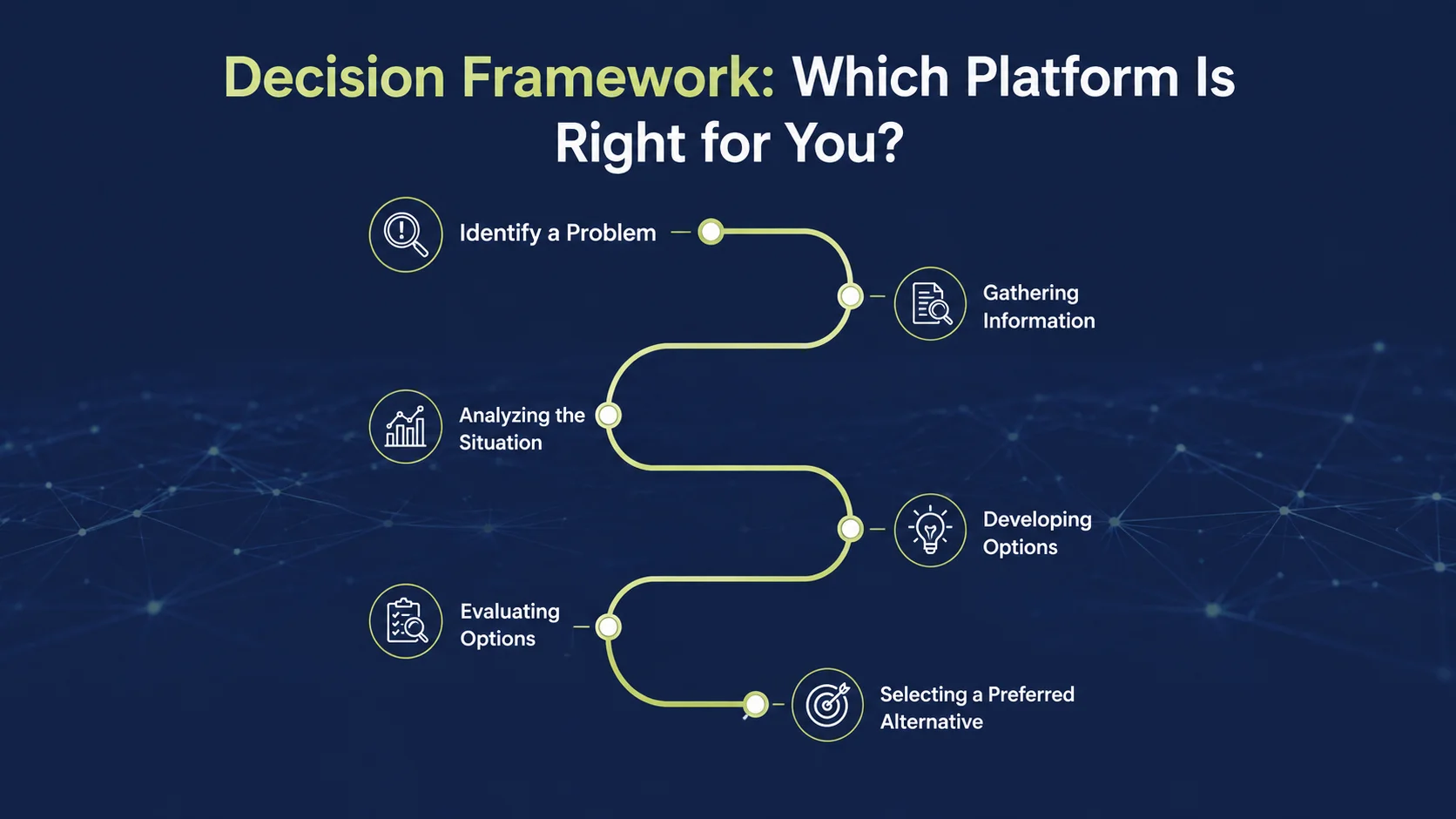
After thirty feature dimensions, four deep dives, and a full cost breakdown, the real question remains: which platform should you actually pick? Here's a practical framework built around the factors that matter most.
Choose Shopify If:
You want to launch as fast as possible without a technical team
You'd rather pay for a managed service than run your own infrastructure
Shopify's app ecosystem and built-in features meet your needs
You're planning significant growth and want a purpose-built commerce platform's reliability
You want a custom headless frontend eventually, but with Shopify's backend underneath
Your revenue is below the point where transaction fees start to bite
Choose WooCommerce If:
Content marketing and SEO drive your growth strategy, and you need full editorial control
You already run WordPress, and adding e-commerce is an extension, not a rebuild
You have a developer who can properly manage WordPress infrastructure
Full data ownership and avoiding lock-in matter to your business
You're an early-stage, and minimizing subscription cost matters more than maximizing features
Your products need complex custom attributes, but platforms tend to handle them poorly
Choose BigCommerce If:
Transaction fees are a real cost concern at your current or projected revenue
You need strong native B2B/wholesale tools without paying for Shopify Plus
Multi-currency and multi-storefront support need to be built in, not bolted on
You can't justify Plus even though you've outgrown Shopify's standard tiers
You want a managed platform with deeper native features than Shopify at similar price points
Choose a Custom Build If:
Your business model needs workflows that no platform can support
Your sales volume is high enough that platform fees justify custom development
You need deep integration with proprietary backend systems; no platform app can reach
You're well-funded, have experienced technical leadership, and have a long-term commitment to your stack
You want a real technology moat that competitors can't replicate by installing an app
The most common mistake: |
|---|
Choosing a custom build too early. Businesses that build custom e-commerce before validating product-market fit often burn enormous resources on technology before they even know if the business works. Start on a platform, validate the business, and only go custom once you have a specific, documented reason the platform is holding you back. |
Final Thoughts:
Every platform covered here has powered successful e-commerce businesses. The choice matters, but less than most founders assume. What matters more is product quality, a clear value proposition, strong customer relationships, and consistent execution.
Pick the platform that fits your current needs and your team's abilities. Get the store live, learn from real customers, and only then evaluate whether platform limitations are genuinely holding you back before investing in a migration or a custom build.
The merchants who spend six months debating Shopify versus WooCommerce often get outpaced by the ones who launched in week two and spent the other twenty weeks acquiring customers and learning what those customers actually want.
Building an e-commerce App?
Our development team helps businesses plan and build scalable e-commerce apps from platform selection and architecture planning to high-performance web and mobile storefronts.
Frequently Asked Questions (FAQs)
Is Shopify or WooCommerce better for SEO?
WooCommerce on WordPress gives you more SEO flexibility than Shopify on nearly every technical front: full URL control, complete schema customization, stronger content tools for editorial SEO, and no platform-imposed structural limits. That said, Shopify's infrastructure performance can offset some of the gap. For brands where content marketing and technical SEO flexibility drive organic growth, WooCommerce wins. For standard product and category SEO, Shopify is more than capable.
Can I use WooCommerce instead of Shopify without losing my SEO rankings?
Yes, with the right preparation. That means 301 redirects from every old URL to its new counterpart, migrated meta titles and descriptions, preserving canonical structure where possible, and close Search Console monitoring for crawl errors in the weeks after. Some ranking fluctuation is normal and usually settles within two to three months. Migrating without a redirect strategy often causes significant, sometimes permanent, traffic losses.
Is BigCommerce cheaper than Shopify in the long run?
Often, yes, for businesses at meaningful revenue. Skipping transaction fees means saving roughly $24,000 a year at $200,000/month in revenue, compared to a 1% Shopify fee enough on its own to offset BigCommerce's slightly higher plan pricing. At lower revenue, the gap matters much less. Run the numbers for your own revenue and payment setup to get an accurate picture.
What separates Shopify Plus from Shopify?
Shopify Plus is the enterprise tier, starting at $2,300/month or 0.25% of revenue. It unlocks checkout customization through Checkout Extensibility, removes Shopify branding at checkout, adds dedicated merchant success support, allows up to 10 stores, provides advanced automation via Shopify Flow, and supports B2B selling. Most businesses are fine with the standard Advanced plan at $299/month. Plus makes financial sense when checkout customization, multiple storefronts, or high enough revenue to benefit from the negotiated transaction rate come into play.
How do I know when to migrate from Shopify to a custom build?
Typical triggers include: a particular feature Even with apps, Shopify's architecture is unable to handle transaction fees turning into a significant expense at high revenue or a strategic drive to own your technology stack as a differentiator. Before committing, check whether Shopify Plus solves the problem, whether a headless build on Shopify's backend covers the frontend need, and whether the cost and overhead of going custom truly outweigh staying put.
Which e-commerce platform is best for selling internationally?
BigCommerce has the strongest native international toolkit, including multi-currency, price lists, multi-language, and a global CDN without extra apps. Shopify Markets has closed much of that gap and covers most international needs well. WooCommerce with WPML and a currency switcher plugin can match most requirements, but needs more setup. For a truly multinational enterprise with complex pricing and localization needs, a custom build gives the most control.
Which e-commerce platform is ideal for small businesses?
For most small businesses, Shopify is the best starting point, fastest to launch, least technical knowledge required, and reliable performance and security without ongoing upkeep. WooCommerce is a strong alternative if you're already on WordPress, or if content marketing matters to your business. The priority for small businesses should be getting a working store live quickly, rather than spending months comparing platforms. You can always migrate once your needs are clearer.